10 CRUCIAL Tips That Will INSTANTLY Make ARC Raiders Easier!
Hi guys, Rex here!
Are you new to Arc Raiders? In this video, I’ll share 10 super useful tips that will help you out if you’re just getting started — so without further ado, let’s dive into it.
TIP 1 — Customize Your Crosshair
The first thing you should do is customize your crosshair.
You’ll find this under Settings → Accessibility, in the Crosshair section.
From here, you can adjust almost everything — the shape, the thickness, the size, the opacity, and the color.
If you want to change the crosshair style, make sure to enable Override Crosshair Shape.
I personally use the Circle shape for now. It’s clean, easy to follow, and works well with Arc Raiders’ movement and recoil patterns.
You can also enable the center dot, which stays visible even when the rest of the crosshair fades during movement.
Take a minute to play around with these options in the Practise Range to see what feels right.
A clear, comfortable crosshair makes a big difference in tracking enemies and lining up shots.
TIP 2 — Increase FOV & Turn Off Motion Blur
Next, let’s look at two settings that have a huge impact on visibility: Field of View and Motion Blur.
You’ll find both under Settings → Graphics.
Arc Raiders lets you set your FOV between 60 and 80, and because it’s a third-person shooter, I strongly recommend putting it at 80, the highest setting.
A wider FOV gives you a much better overview of your surroundings, helps you see enemies earlier, and simply makes the game feel more responsive.
While you’re there, make sure to turn Motion Blur off.
I don’t think there’s ever been a game where motion blur actually helps, and Arc Raiders is no exception.
It reduces clarity and makes it harder to track movement, so turn it off and enjoy a cleaner, sharper image.
TIP 3 — Use Your Ping System Properly
Arc Raiders has an extremely useful ping system, and you can ping as much as you want — there’s no cooldown.
When you ping an Arc enemy, it places a marker directly on them, shows the distance, and displays the enemy type.
Your Raider even calls it out automatically: “Snitch ahead,” “Rocketeer,” and so on.
You can also place pings directly from your map with the middle mouse button.
Your Raider will call out the area you marked, and the marker stays visible in the world with a distance indicator — perfect for keeping your direction clear or planning your next objective.
You can ping enemies, players, loot, buildings, and various points of interest.
Ping a random structure and the game might even tell you it’s a Field Depot, which is extremely helpful when you’re still learning the map.
In a game where not everyone uses voice chat, pings are basically your primary way of communicating — so use them often.
TIP 4 — Use the Practise Range
Arc Raiders has a dedicated Practise Range, and it’s one of the best tools for learning the game quickly.
When you click Play, you’ll see a visual map of destinations.
At the top of that map is the Practise Range — just select it and load in.
You’ll enter with your current loadout, so everything you test reflects the real thing.
Inside, you can practise movement, recoil control, hip-fire vs ADS, sensitivity tweaks, and weapon feel without any pressure.
There are Arc-shaped dummies that reset after getting shot, and there are also various weapons and ammo lying around so you can test guns you might not own yet.
If you’re unsure about a weapon or trying out new settings like FOV or crosshair changes, the Practise Range is the perfect place to test everything safely.
TIP 5 — Craft and Upgrade Strong Weapons with Basic Components
Crafting is one of the most effective ways to build a strong early loadout.
To start crafting weapons, you need to build the Gunsmith in your Workshop — it’s cheap and easy to set up.
Early on, you’ll have a small selection of default blueprints and basic attachments, but there’s one standout weapon you can craft immediately: the Ferro.
The Ferro is incredibly strong for beginners and only costs 5 Metal Parts and 2 Rubber Parts.
Scrappy the Rooster brings back plenty of these after each raid, so you’ll almost never run out.
Even in its base form, the Ferro can two-shot raiders and deals great damage to Arc enemies.
But upgrading it makes it even better:
- Ferro II — 7 Metal Parts → –13% reload time
- Ferro III — 9 Metal Parts + 1 Simple Gun Part → –26% reload time total
- Ferro IV — 1 Mechanical Component + 1 Simple Gun Part → –39% reload time total
You’re almost cutting the reload time in half for a tiny investment, turning a cheap starter gun into a powerhouse.
Crafting and upgrading like this is one of the fastest and most consistent ways to progress early on.
TIP 6 — Raider Hatches
Arc Raiders gives you two extraction options:
the open extracts everyone can use (like trains or elevators), and the Raider Hatches, which require a key.
Open extracts work fine, but they’re dangerous — calling a train or elevator takes almost a full minute, it’s extremely loud, and it announces your location to everyone nearby.
Raider Hatches work completely differently.
They’re marked on your map, and because you need a Hatch Key to use them, they’re almost never contested or camped.
When you activate a hatch, it opens instantly, allowing for an immediate, quiet extraction.
Hatch Keys cost 9,000 coins from Shani and she only sells one per reset, so pick them up whenever you can.
You can also earn them from mission rewards, and once you upgrade the Utility Station to Level 2, you can craft them.
If you have a safe slot, place your hatch key there so you don’t lose it if you die early.
Hatches are incredibly useful for missions that require a successful extract or when you’re carrying valuable items you really want to bring home.
TIP 7 — Essential Inventory Management
Arc Raiders gives you a huge variety of items, and your stash fills up fast — so learning the inventory tools early saves you a ton of time.
At the top of your inventory, you can expand your stash size.
The first upgrades are cheap and absolutely worth doing.
The cost ramps up later, but the maximum capacity is, to my knowledge, around 280 slots when fully upgraded — giving you plenty of room for all your weapons, gear, materials, and everything else you collect.
You can mass-sell items by holding CTRL and clicking everything you want to sell, then selling them all at once.
You can quick transfer items between stash and character by holding SHIFT and clicking.
You can split stacks by holding ALT while dragging to split in half, or by right-clicking → Split Stack to choose an exact amount.
If your stash gets cluttered, click Merge Stacks to automatically combine everything.
And finally, use the sorting filters on the left to browse categories like weapons, ammo, quick-use items, and crafting materials.
It makes stash management way faster and far less overwhelming.
TIP 8 — Playing Solo Is Great for Progression
Solo matchmaking seems to prefer queueing you up against other solo players, and because of that, solo raids often feel more relaxed and focused on missions rather than PvP.
Arc Raiders also has a surprisingly high number of friendly players.
If you signal that you’re friendly, many people will be open to teaming up for a bit, helping each other with Arc waves, or completing objectives together.
I’ve had tons of raids where I teamed up with random solos and had genuinely wholesome experiences.
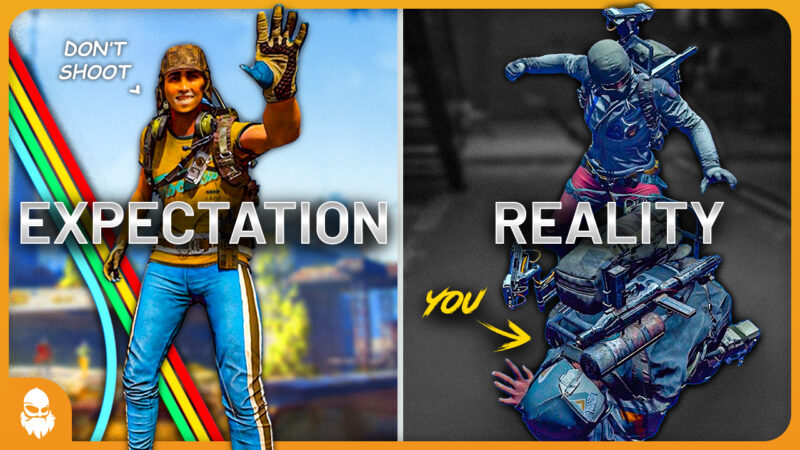
Use the voice wheel — default G on PC — to say things like “Hey, don’t shoot” or “Thank you.”
It’s an easy way to show you’re not looking for a fight.
Of course, stay cautious — not everyone is friendly, and betrayals can happen.
Keep some distance at first and don’t drop your guard completely.
But when you do link up, there’s safety in numbers.
Two solo players working together are far less likely to get third-partied, and you can finish missions much more safely and consistently.
Solo isn’t the only way to progress, but it’s a surprisingly effective one if you’re open to cooperation.
TIP 9 — Stay Focused on Your Objective
When you enter a raid, you should have a clear goal in mind — completing a mission, collecting specific items, or doing an objective.
Whatever your plan is, try not to get sidetracked.
If you spend too much time wandering around or looting every building you see, you’re burning time, you’re risking running into more players, and you’re leaving yourself with fewer extraction options as the raid goes on.
Extracts start closing, new raiders can load in mid-raid, and your window to finish your mission gets smaller.
So focus on your goal first.
Get the mission done, secure the items you need, and then go looting if you have extra time.
You’ll progress way faster and die far less often when you stay on track.
TIP 10 — Track Resources for Upgrades
Arc Raiders has tons of different materials, and when you’re new, it’s hard to remember what you need for upgrades.
But there’s a simple feature that fixes this completely: resource tracking.
For any Workshop station upgrade, click the station, choose Level Up, and select Track Resources.
For weapon upgrades, right-click the weapon in your inventory, choose Upgrade, and click Track Resources there.
Once tracking is enabled, every material you need shows a small eye icon — both in your stash, so you don’t accidentally sell it, and in raids, so you instantly recognize important items when you find them.
This keeps your progression organized and helps you avoid wasting valuable materials, especially when you’re still learning all the different components in the game.
And that’s it — 10 super useful tips to help you get started in Arc Raiders.
If you have any beginner tips of your own, or if there’s something you wish you knew earlier, let me know in the comments.
Thank you for watching, and I’ll see you in the next one!